
Ahead PDF Password Remover 2.0.0 

Only $25.95
With PDF Password Remover, you can easily remove pdf password and restrictions on printing, editing and content copying, form filling, commenting etc. After PDF unlocking, you can reuse PDF files without any restrictions.
- Remove PDF owner password and restrictions on printing, editing and content copying, form filling, commenting etc.
- Support 40-bit RC4, 128-bit RC4, 128-bit AES and 256-bit AES decryption.
- Support PDF user/open password unlock.
- Support PDF 1.0-1.7 format.
- Support batch decrypt.
- No Adobe Reader or Acrobat needed.
- User-friendly interface, easy to use.
Platform: Windows XP/Vista/7/8/10
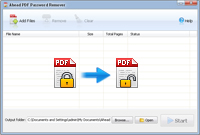
Remove PDF restrictions
Sometimes you need to copy or print some PDF files, but they are protected from opening, copying or printing. So is there any method to remove the restrictions?
The answer is yes. With Ahead PDF Password Remover, you can easily remove PDF restrictions on printing, editing and content copying, form filling, commenting etc. from PDF files protected by passwords.
Remove PDF Owner and User Password
Ahead PDF Password Remover is an excellent application to unlock PDF files, including both owner and user password.
But to successfully remove the PDF open password, you are required to correctly enter the user password at first.
Support batch decrypt
This PDF unlock software allows you to import a batch of PDF files and unlock PDF files at a time. This feature is very useful, it can save you a lot of time.
No Adobe Reader or Acrobat needed
This software is standalone, it doesn’t need Adobe Reader or Acrobat to be installed to unlock PDF files.

Operating System:
Windows XP/Vista/7/8/10
Ready to try or buy